> ## Documentation Index
> Fetch the complete documentation index at: https://latch.mintlify.site/llms.txt
> Use this file to discover all available pages before exploring further.
# Latch - Security Guardrails for AI Agents
> Open-source guard proxy for MCP servers. Stop your AI agent before it does something you'll regret.
## Introduction
AI agents are incredibly powerful. They can read your files, execute shell commands, send emails, query databases, and make API calls on your behalf.
But what happens when your agent decides to:
* Search for passwords in your home directory?
* Delete files it thinks are "temporary"?
* Send confidential data to the wrong recipient?
* Run a shell command that nukes your database?
**You need a human in the loop. You need Latch.**
## What is Latch?
Latch is an open-source guard proxy that sits between your AI agent and its tools. Every tool call passes through Latch, which evaluates it against your security policies:
| Action | What Happens |
| ------------------------------- | ---------------------------------------------------------- |
| ✅ Allowed operations | Proceed automatically when allowed by rule (or by default) |
| ⚠️ Approval-required operations | Pause until you approve (when a rule requires approval) |
| 🛑 Denied operations | Blocked entirely (when a rule denies) |
| 🤖 LLM policies | Natural language conditions evaluated in real-time |
## Quick Example
```bash theme={null}
# Without Latch
Agent: "Search for API keys in ~/"
→ 💥 Agent finds and potentially leaks your secrets
# With Latch
Agent: "Search for API keys in ~/"
→ ⚠️ Requires approval (or 🛑 denied), depending on your rules
→ You see it in the audit log (with redacted arguments)
→ You decide what happens
```
## Key Features
Rules based on tool name, action class, domain, and recipient. Most-specific rule wins.
Write policy conditions in plain English. An LLM evaluates each tool call against them.
Risky actions pause for your approval. Single-use tokens or time-limited leases.
Get notified on your phone. Approve or deny with one tap.
Full history of every tool call, decision, and redacted arguments.
Run on your infrastructure. Your data never leaves your control.
## Works With
Latch works with any MCP (Model Context Protocol) compatible client and server:
**Clients:**
* Claude Desktop
* Cursor
* Any MCP-compatible agent
**Servers (examples):**
* Filesystem access
* GitHub operations
* Database queries
* Shell commands
* Email/Slack
* Any custom MCP server
## See It In Action
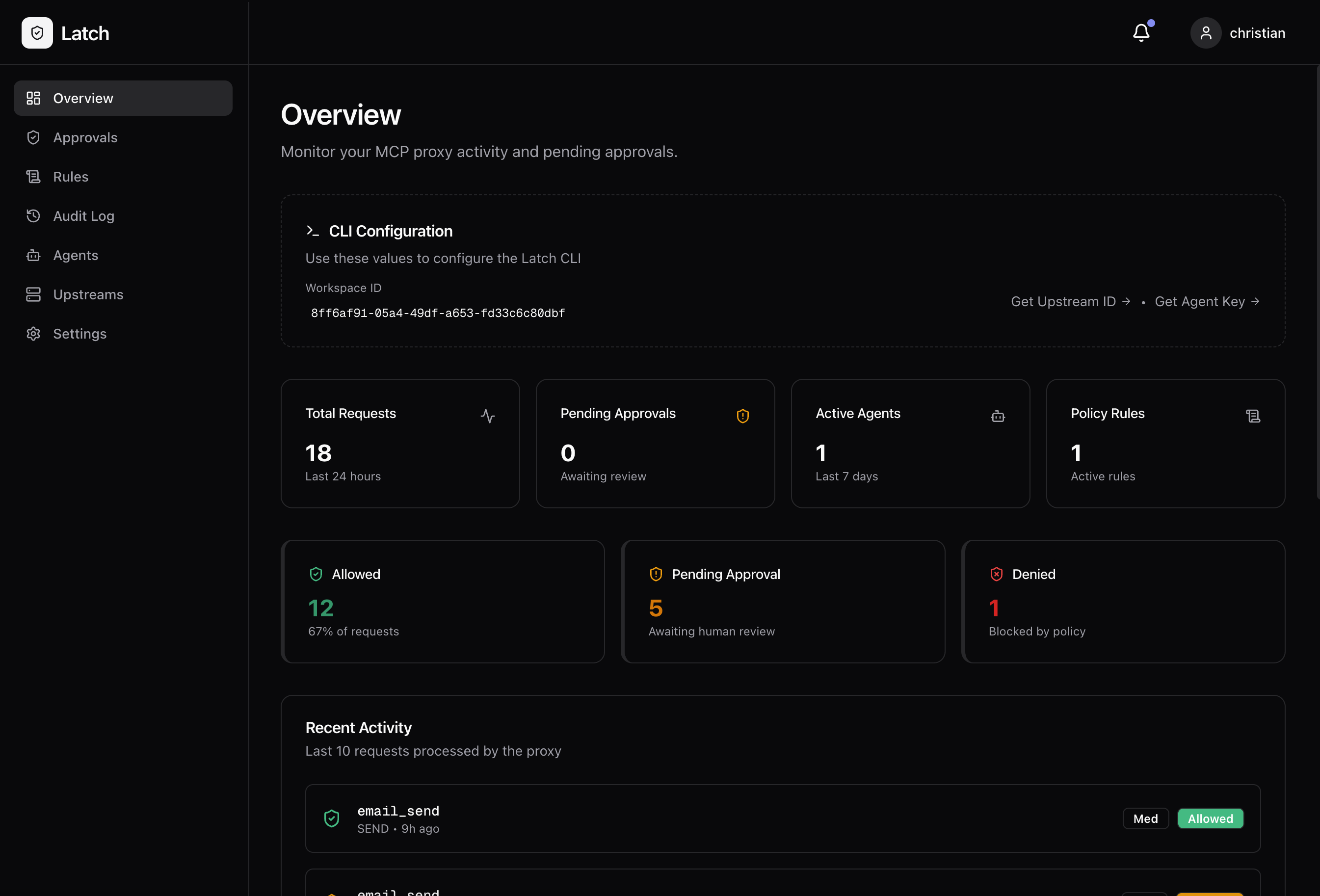
### The Dashboard
Create workspaces, manage upstreams, and monitor everything in one place.
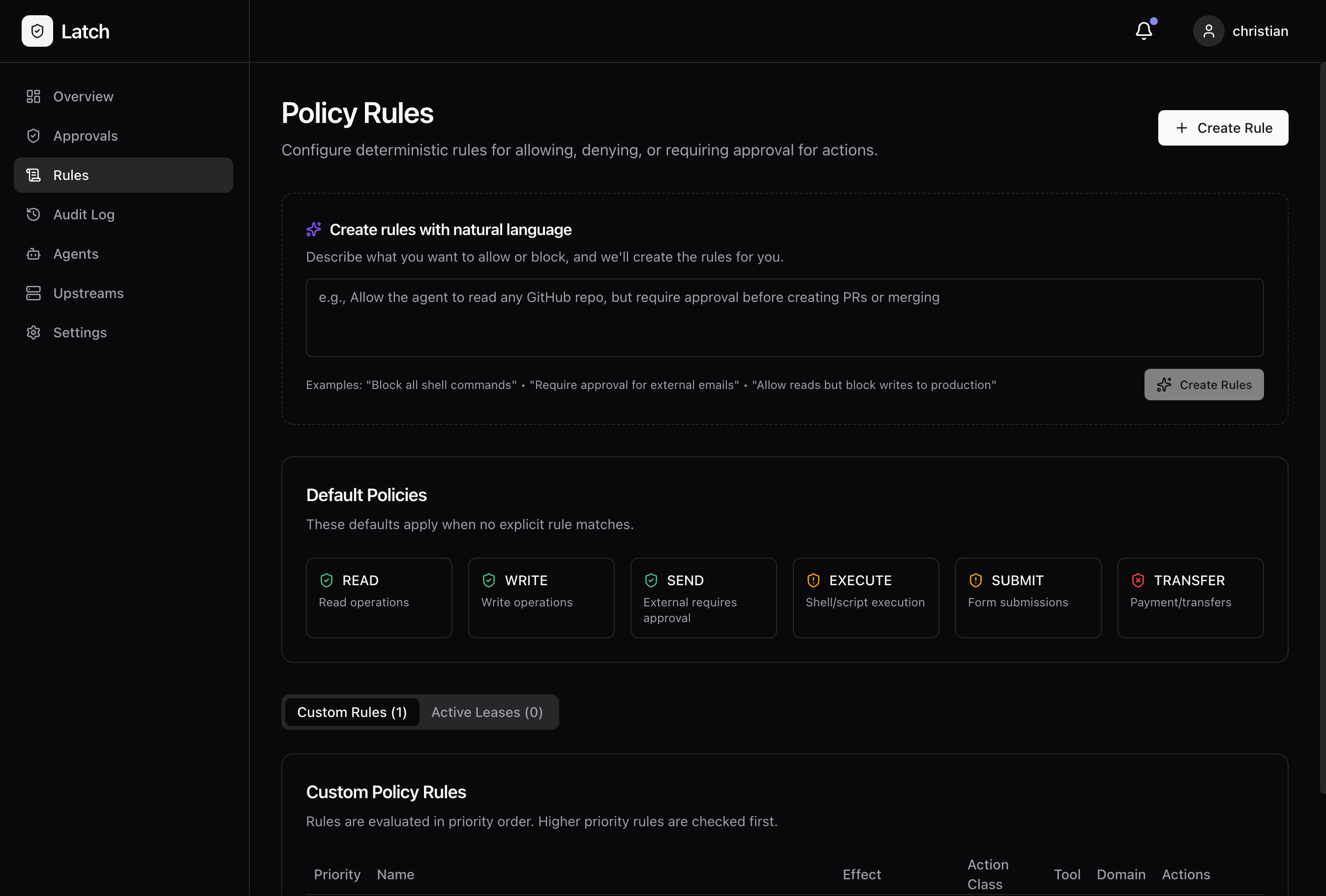
 ### Policy Rules
Define what's allowed, what's blocked, and what needs approval.
### Policy Rules
Define what's allowed, what's blocked, and what needs approval.
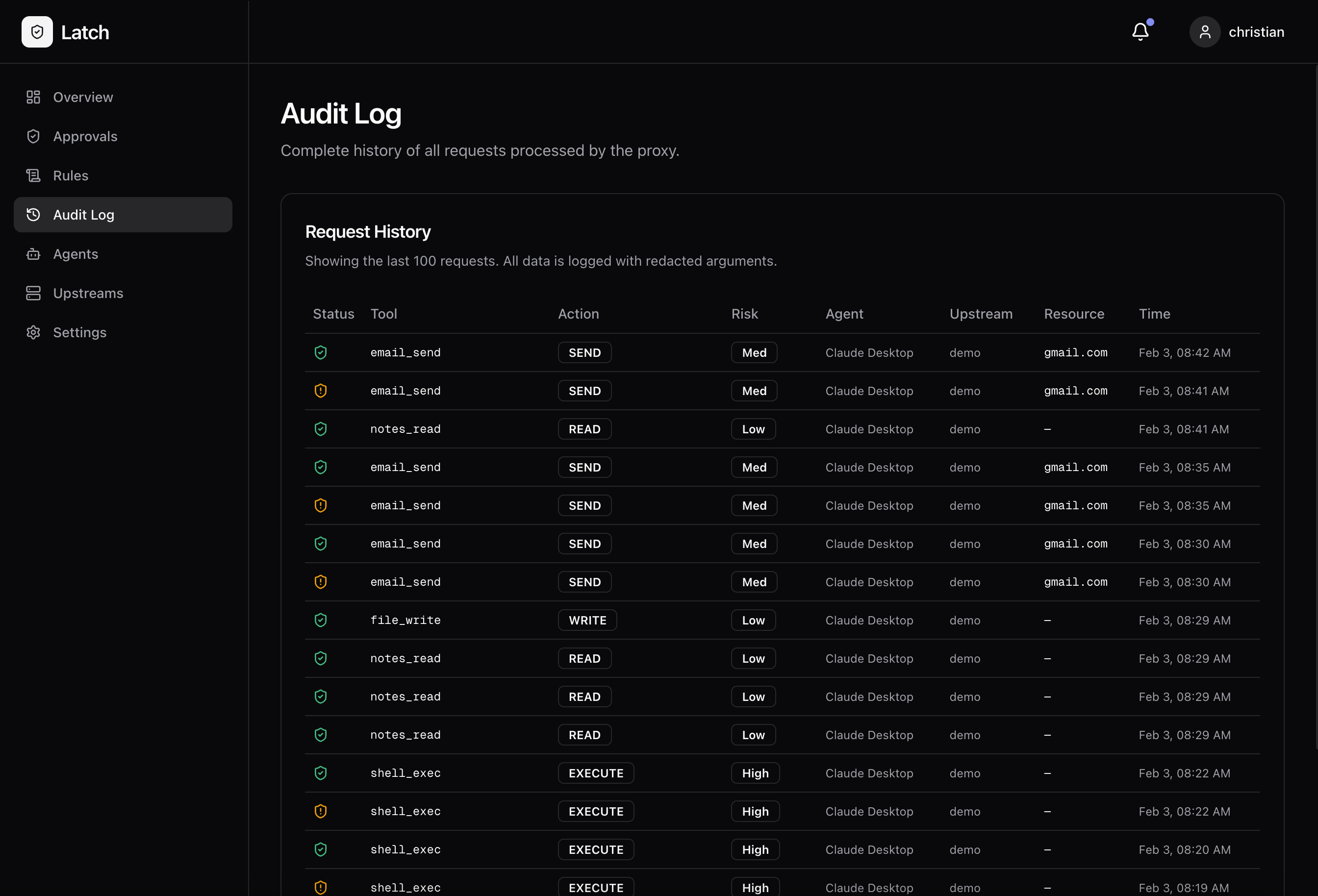
 ### Audit Log
Every request logged with the decision and redacted arguments.
### Audit Log
Every request logged with the decision and redacted arguments.
 ## Get Started in 5 Minutes
Run Latch locally with Docker and wrap your first MCP server.
Step-by-step guide to integrate Latch with Claude Desktop.
## Open Source
Latch is fully open source under the MIT license.
* [GitHub Repository](https://github.com/latchagent/latch)
* [Report Issues](https://github.com/latchagent/latch/issues)
* [Contributing Guide](https://github.com/latchagent/latch/blob/main/CONTRIBUTING.md)
***
*Built for developers who want AI agents they can actually trust.*
## Get Started in 5 Minutes
Run Latch locally with Docker and wrap your first MCP server.
Step-by-step guide to integrate Latch with Claude Desktop.
## Open Source
Latch is fully open source under the MIT license.
* [GitHub Repository](https://github.com/latchagent/latch)
* [Report Issues](https://github.com/latchagent/latch/issues)
* [Contributing Guide](https://github.com/latchagent/latch/blob/main/CONTRIBUTING.md)
***
*Built for developers who want AI agents they can actually trust.*