Introduction
AI agents are incredibly powerful. They can read your files, execute shell commands, send emails, query databases, and make API calls on your behalf. But what happens when your agent decides to:- Search for passwords in your home directory?
- Delete files it thinks are “temporary”?
- Send confidential data to the wrong recipient?
- Run a shell command that nukes your database?
What is Latch?
Latch is an open-source guard proxy that sits between your AI agent and its tools. Every tool call passes through Latch, which evaluates it against your security policies:Quick Example
Key Features
Policy Engine
Rules based on tool name, action class, domain, and recipient. Most-specific rule wins.
LLM-Evaluated Policies
Write policy conditions in plain English. An LLM evaluates each tool call against them.
Approval Workflow
Risky actions pause for your approval. Single-use tokens or time-limited leases.
Telegram Notifications
Get notified on your phone. Approve or deny with one tap.
Audit Log
Full history of every tool call, decision, and redacted arguments.
Self-Hosted
Run on your infrastructure. Your data never leaves your control.
Works With
Latch works with any MCP (Model Context Protocol) compatible client and server: Clients:- Claude Desktop
- Cursor
- Any MCP-compatible agent
- Filesystem access
- GitHub operations
- Database queries
- Shell commands
- Email/Slack
- Any custom MCP server
See It In Action
The Dashboard
Create workspaces, manage upstreams, and monitor everything in one place.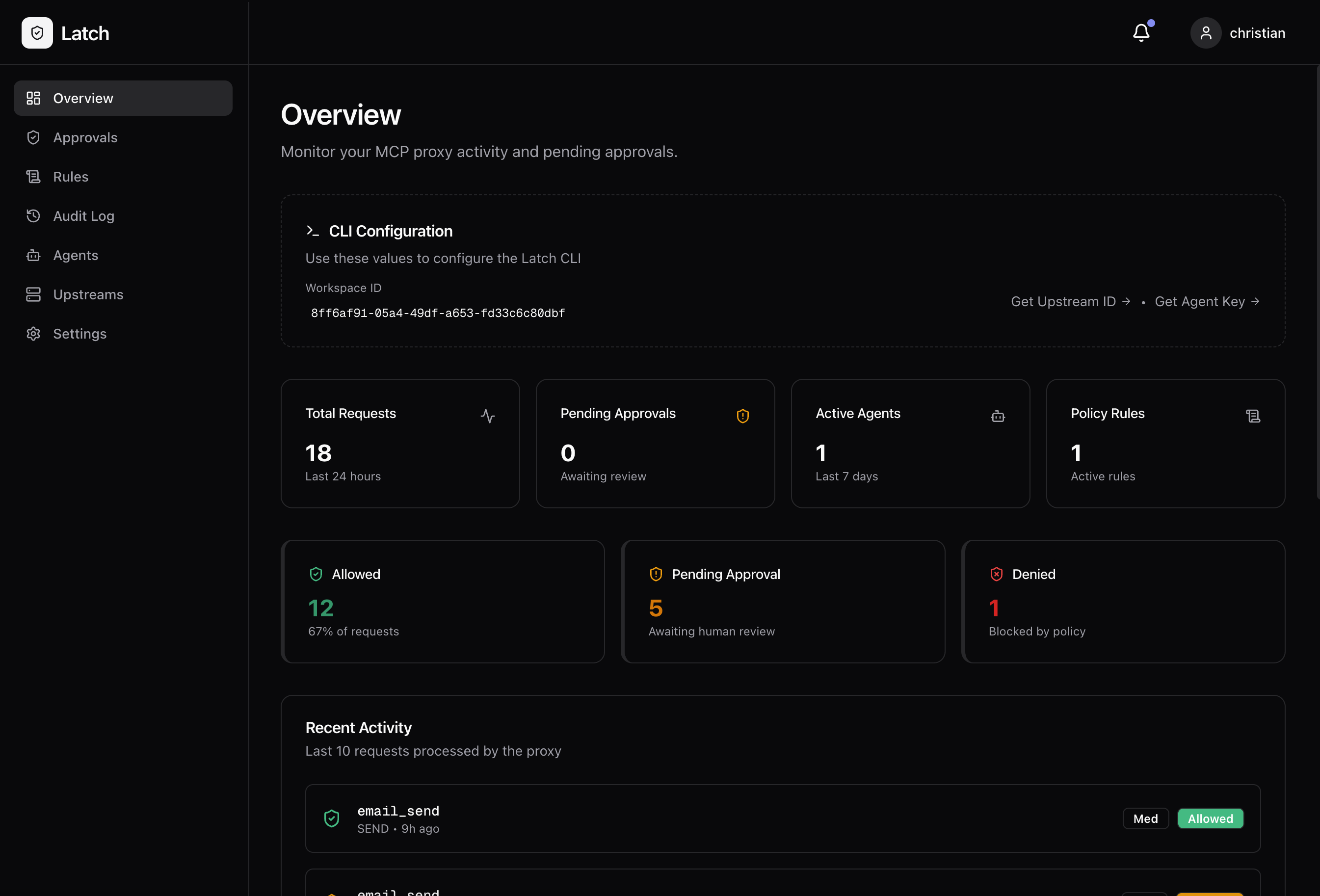
Policy Rules
Define what’s allowed, what’s blocked, and what needs approval.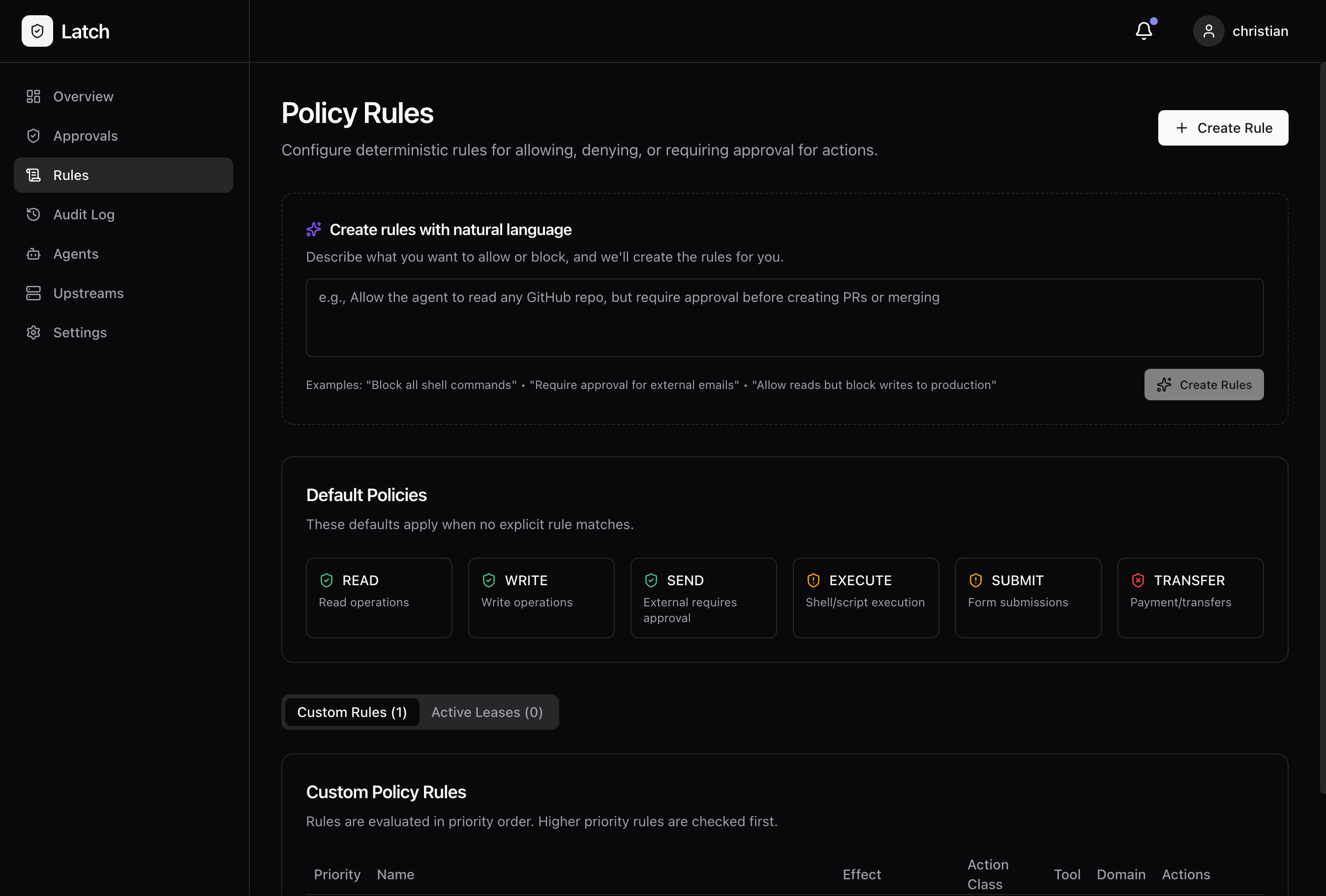
Audit Log
Every request logged with the decision and redacted arguments.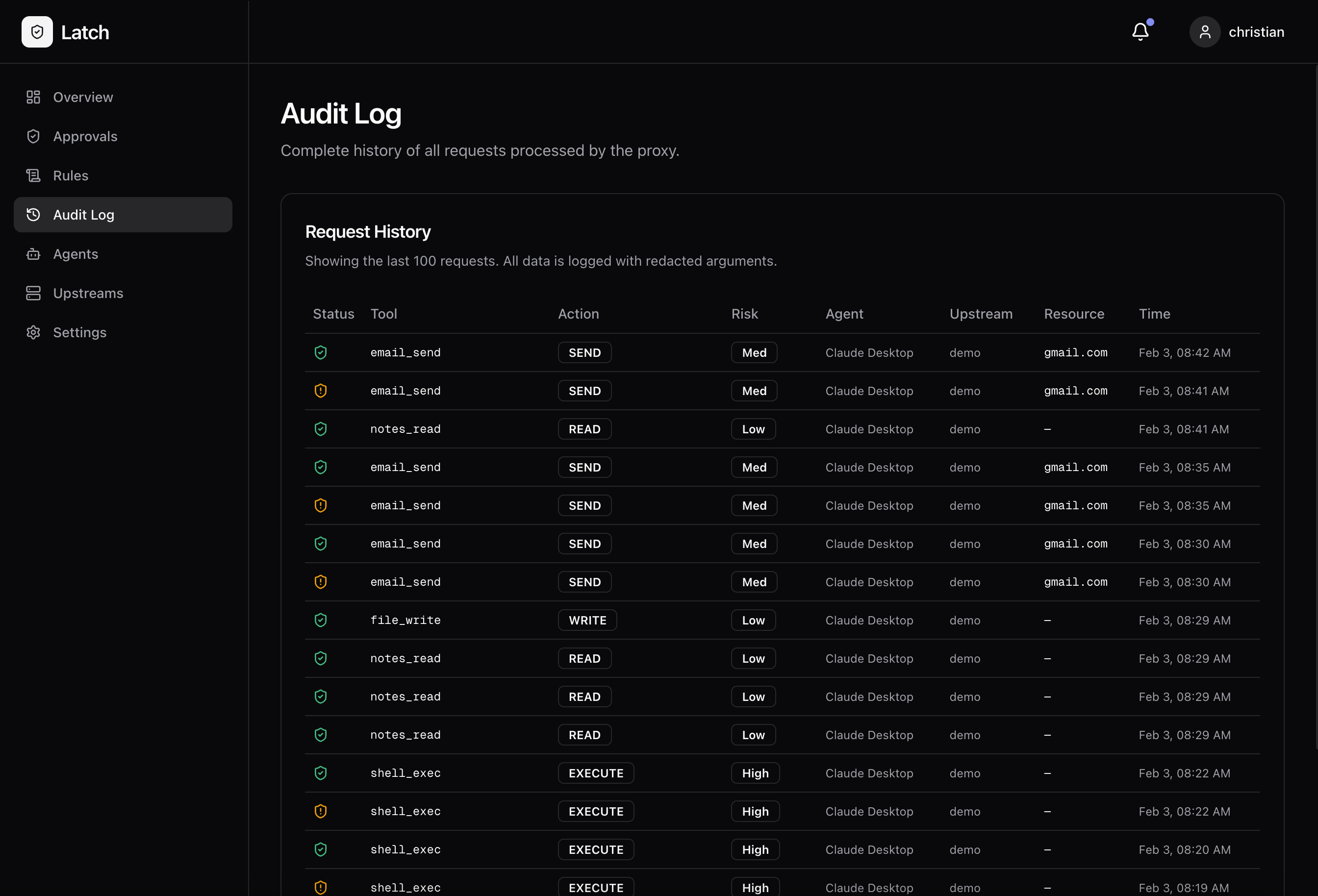
Get Started in 5 Minutes
Quickstart
Run Latch locally with Docker and wrap your first MCP server.
Claude Desktop Setup
Step-by-step guide to integrate Latch with Claude Desktop.
Open Source
Latch is fully open source under the MIT license.Built for developers who want AI agents they can actually trust.